A simple way to speed-up typing and improve productivity
If you have to type the same old phrases again and again, it can become very time consuming. Typinator makes life much easier by allowing you to use abbreviations and shortcuts to type entire phrases and sentences.
If used correctly, Typinator can Typinator significantly boost your productivity and eliminate errors by automating the process of inserting frequently used text and graphics and and auto-correcting typos and misspelled words.
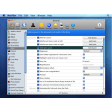
Once you open-up the program window, you are presented with the chance to create your own set of abbreviations. Just type in the corresponding text in the box at the bottom of the window and enter the abbreviation. You can save your abbreviations in different sets, which are ordered at the top of the interface.
Although the program is limited to English, French and German, Typinator features thorough correction sets for the three languages, which should ensure you don't make any typos. Even more interesting is that Typinator supports drag-and-drop import from Textpander and TypeIt4Me makes migration to Typinator a no-brainer.
At long last, the developers have also implemented a Quicksearch feature which allows you to find abbreviations you have created in just a few clicks.
Simple to use and great to store all sorts of abbreviations, Typinator will definitely save you time when typing up documents and improve your productivity.
Compatible with OS X 10.8 Mountain Lion. Typinator can now import Spell Catcher glossaries that have been exported as XML files. New technique for passing context variables to AppleScripts in Unicode format. Improves import from text files. Formatted text expansions now also work for certain applications that understand only HTML-formatted text. Internal redesign of the event mechanism. Improves performance and reliability of clipboard-based expansions. Cleanup: no longer supports old-style AppleScript expansions. Improved message in the registration window. Registration reminders appear less frequently in trial mode. Improved timing for clipboard restoration. Avoids a delay caused by feedback sounds in certain circumstances. Typinator's "Show Window" hotkey now also works when a sheet is attached to the main window. Works around an expansion problem in Save sheets. The Installer's completion sound now plays through the "sound effects" channel and respects the alert volume as defined in System Preferences. Works around an initial delay in many clipboard-based expansions. Expansion feedback sounds play through the "sound effects" channel specified in System Preferences. Subtle time-drift problem solved: All date and time items inside an expansion now refer to the exact time when the abbreviation was typed. Undo now works in the Notes field in the Set Info window. Fixes a problem that caused loss of pictures in formatted expansions. Resolves a shortcut conflict with Adobe Photoshop. Fixes a potential crash when changing the default feedback sounds in Typinator's preferences. Works around a cursor positioning problem in Cocoa applications when the expansion contains degrees or caret symbols. Correctly positions the cursor in expansions containing certain special Unicode characters. Solves an expansion problem inside spreadsheet cells in Numbers. Fixes a rare lock-up during a Quick Search. Improved rounding in the "General" format of the pocket calculator. New technique for adding Typinator to the list of Login Items now also works for Mountain Lion. Fixes an expansion problem that was introduced with Pages 4.2. Numbers 2.2 and Keynote 5.2. Works around a cursor positioning problem in Numbers. No longer disables expansions when an ATOK input source is selected. Works around an expansion and cursor positioning problem in Xcode 4. Improves handling of quickly typed abbreviations that follow each other immediately. Now correctly handles cases where a character that terminated a "whole word" expansion is the beginning of the next abbreviation. Typinator no longer suppresses formatted expansions or expansions that include backspaces if they match the typed abbreviation. Avoids a delay before the first expansion takes place in an application. Works around a potential lock-up in Adobe Photoshop, Illustrator, and InDesign. Typinator now correctly recognizes Java applications with non-standard process signatures. Improves handling of longer and multi-line expansions in CafeTran. Fixes an issue where the font and color panels could not be used in rich text expansions after switching to another application. Works around a timing problem with clipboard-based expansions in TextMate. Now works with the English variant of the "Baram" input source for Korean. Fixes a crash on Mountain Lion when importing or exporting sets under certain circumstances. Improved detection of AppleScript parameters that consist of multiple lines. Improves handling of the "start at login" setting in cases where the Typinator application was renamed. The installer now uses an improved technique for finding the preferred destination location. Works around an expansion problem when renaming a document via its window title on Mountain Lion. Typinator now correctly disables itself in Windows applications running in coherence mode in Parallels.
Changes
Compatible with OS X 10.8 Mountain Lion. Typinator can now import Spell Catcher glossaries that have been exported as XML files. New technique for passing context variables to AppleScripts in Unicode format. Improves import from text files. Formatted text expansions now also work for certain applications that understand only HTML-formatted text. Internal redesign of the event mechanism. Improves performance and reliability of clipboard-based expansions. Cleanup: no longer supports old-style AppleScript expansions. Improved message in the registration window. Registration reminders appear less frequently in trial mode. Improved timing for clipboard restoration. Avoids a delay caused by feedback sounds in certain circumstances. Typinator's "Show Window" hotkey now also works when a sheet is attached to the main window. Works around an expansion problem in Save sheets. The Installer's completion sound now plays through the "sound effects" channel and respects the alert volume as defined in System Preferences. Works around an initial delay in many clipboard-based expansions. Expansion feedback sounds play through the "sound effects" channel specified in System Preferences. Subtle time-drift problem solved: All date and time items inside an expansion now refer to the exact time when the abbreviation was typed. Undo now works in the Notes field in the Set Info window. Fixes a problem that caused loss of pictures in formatted expansions. Resolves a shortcut conflict with Adobe Photoshop. Fixes a potential crash when changing the default feedback sounds in Typinator's preferences. Works around a cursor positioning problem in Cocoa applications when the expansion contains degrees or caret symbols. Correctly positions the cursor in expansions containing certain special Unicode characters. Solves an expansion problem inside spreadsheet cells in Numbers. Fixes a rare lock-up during a Quick Search. Improved rounding in the "General" format of the pocket calculator. New technique for adding Typinator to the list of Login Items now also works for Mountain Lion. Fixes an expansion problem that was introduced with Pages 4.2. Numbers 2.2 and Keynote 5.2. Works around a cursor positioning problem in Numbers. No longer disables expansions when an ATOK input source is selected. Works around an expansion and cursor positioning problem in Xcode 4. Improves handling of quickly typed abbreviations that follow each other immediately. Now correctly handles cases where a character that terminated a "whole word" expansion is the beginning of the next abbreviation. Typinator no longer suppresses formatted expansions or expansions that include backspaces if they match the typed abbreviation. Avoids a delay before the first expansion takes place in an application. Works around a potential lock-up in Adobe Photoshop, Illustrator, and InDesign. Typinator now correctly recognizes Java applications with non-standard process signatures. Improves handling of longer and multi-line expansions in CafeTran. Fixes an issue where the font and color panels could not be used in rich text expansions after switching to another application. Works around a timing problem with clipboard-based expansions in TextMate. Now works with the English variant of the "Baram" input source for Korean. Fixes a crash on Mountain Lion when importing or exporting sets under certain circumstances. Improved detection of AppleScript parameters that consist of multiple lines. Improves handling of the "start at login" setting in cases where the Typinator application was renamed. The installer now uses an improved technique for finding the preferred destination location. Works around an expansion problem when renaming a document via its window title on Mountain Lion. Typinator now correctly disables itself in Windows applications running in coherence mode in Parallels.

































User reviews about Typinator
Have you tried Typinator? Be the first to leave your opinion!